Busy board — Little Play Square
What's on the screen
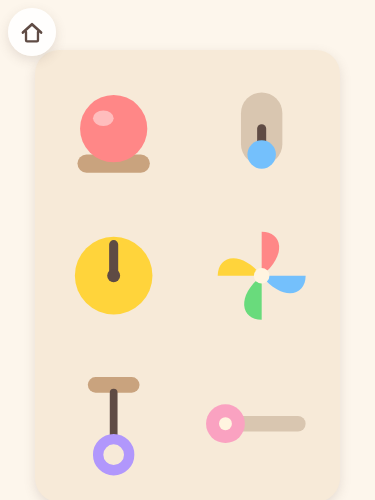
10 catches sit together on 1 board: a button, a switch, a dial, a pinwheel, a cord, a slider, a little door, a lamp, a bell and beads (small screens show as many as fit).
How to play
Some of them sound when they are pressed; others move when a finger presses and slides. Each one answers with its own sound, and there is no order and no right answer.
This game sits in Games for ages 0 and 1. The age is only a guide, so children older than that and children younger than that are just as welcome to play it.
What this game doesn't have
- Time limits and scoresThere is no countdown, no score and no run of days in a row.
- Game overThere is no state that stops a child from going on. You can stop the moment interest runs out.
- Ads and purchasesNothing can be pressed by mistake that carries a child off to another site.
- Text fieldsNo name and no email address is ever asked for. There is no sign-up either.
How to start
Just open Little Play Square and pick the Busy board picture on the home screen. Once it has finished loading, it starts up the same way in places with no signal. Sound is switched with the speaker mark on the home screen (it steps through normal, off and quiet, so the first press turns it off).
More from Games for ages 0 and 1
- Stamps — Pick a stamp and tap the paper, and it is pressed down right where you tapped and stays there. Tapping without picking one works too. When the paper is full, the oldest ones quietly disappear, and the erase button clears everything only when it is held down.
- Drawing — From where the finger lands, a line that keeps changing color stretches out. There is an erase button, but nothing forces you to use it.
- Wipe and see — Rub anywhere on the screen and the mist clears just that much, letting the picture underneath show. Stopping partway is fine.