Choose sounds and rhythms from the 16 pads and stack them into a loop of 1 to 200 bars. The rhythms you choose stay on the score as they are, so you can add or remove beats later by tapping the cells.
Getting started
- Open itJust open it in the browser. Nothing to install and no account to create.
- Hit the padsThere are 4 rows: Drums, Bass, Chords and Voice & FX. Tapping plays a sound; then you choose a sound and a rhythm and place them on the score.
- Change sounds, add barsTapping a pad lets you choose that role's sound from 15 options (for drums and voice you then also choose a 1-bar rhythm). [+] adds bars, and the same bar can be repeated.
What is on the screen
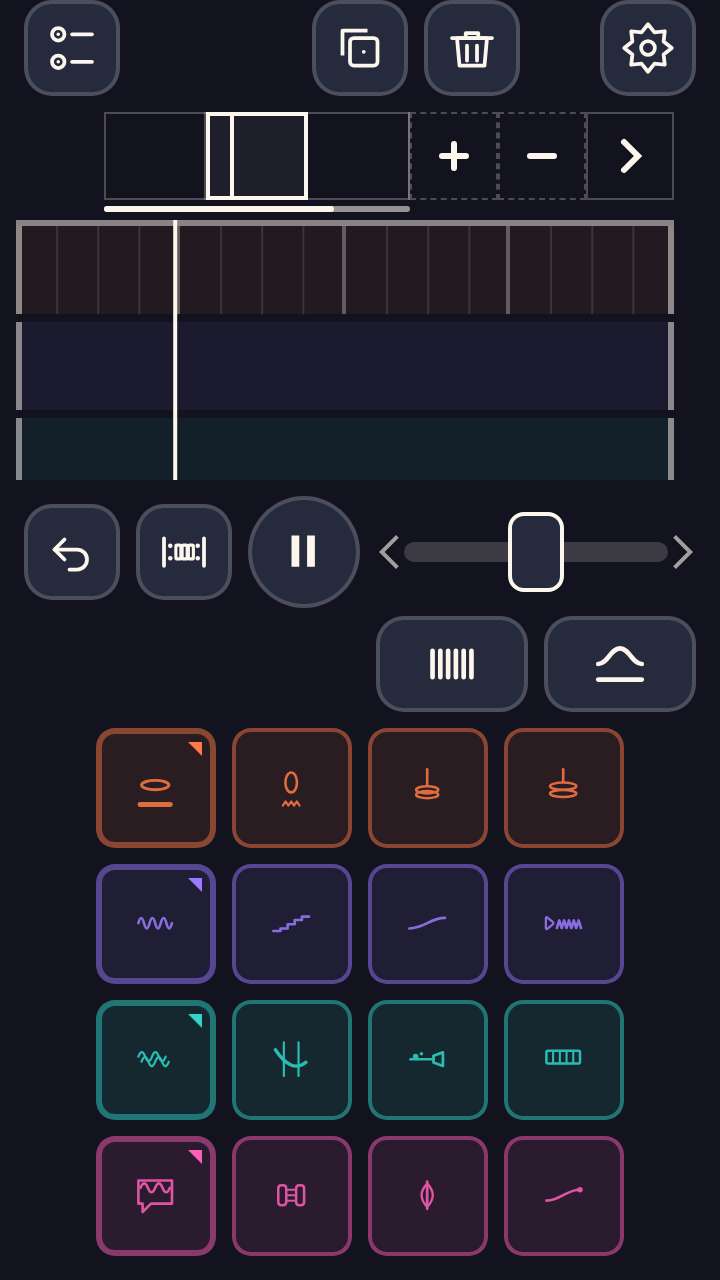
The screen has 2 parts: the score and the pads. The score is on top; in the overview each cell is 1 bar, and zoomed in it is a grid of 4 rows and cells. Below are the 16 pads, a different color for each row. A needle sweeps across the score from left to right.
What fingers do
You place sounds by choosing a sound and rhythm with a pad, by tapping a cell on the score, or by carrying a pad onto the score and dropping it. Touching a cell flips it, and a long press removes it. There are no clashing sounds, no misses and no game over.
What is inside
- 240 sounds (16 roles x 15 each; every one synthesized by this game itself)
- Songs of 1 to 200 bars (counting repeats of the same bar)
- 2 loop ranges: the whole song, and the current 1 bar
- Up to 8 songs on the shelf / share the URL and the other person opens the same song and can edit it
What this game does not have
- Ads and purchasesNothing to tap by mistake that takes you to another site.
- Input fieldsNo name or email address is asked for, and there is no account to create.
- Game overThere is no point where you get stuck and cannot go on. Children can stop whenever they have had enough.
Before you start
- The song in progress is saved automaticallyIt stays only on this device. It cannot be carried over to another device.
- A finished song can be saved to the device as an audio fileRendering and saving both happen only on the device; nothing is sent anywhere. The file contains no name and no time.
- Plays without a connectionOnce it has loaded, it opens even in airplane mode. The first load fetches the sounds of the 16 pads; other sounds you pick are remembered if there is a connection at that moment.
- Languages14 languages (Japanese, English, Chinese, Traditional Chinese, Korean, Spanish, French, German, Portuguese, Indonesian, Italian, Turkish, Polish, Romanian). At first it opens in the language of the device.
Playing without a connection (on a plane, in the car)
Things to make together on the weekend
Other games for a similar age
Every game is on the Kids Games home page.