A music-box sound maker: tap the 16 pads to choose a sound and how to place it, and stack 4 layers into a song. Every layer uses the same scale (do, re, mi, sol, la), so the notes you place never clash.
Getting started
- Open itJust open it in the browser. Nothing to install and no account to create.
- Tap a padTapping a pad plays its sound; then choosing how to place it leaves it on the score.
- Stack layers, add barsPlace notes on the 4 layers - Earth, Moss, New leaf and Dappled light - and stack them. Add bars to make a song of 1 to 200 bars.
What is on the screen
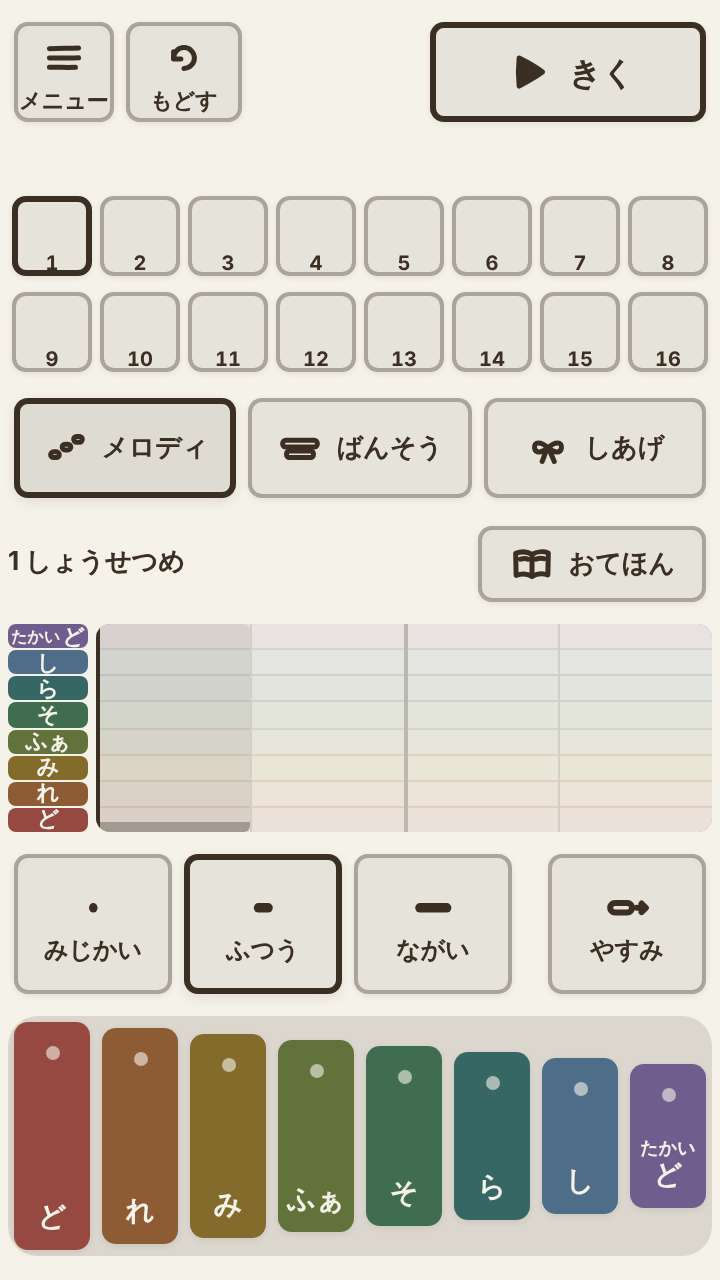
The screen shows the score and the 16 pads. The pads are divided into 4 layers, and the bottom layer is the music box.
What fingers do
Tap a pad to choose a sound, then choose how to place it and it stays on the score. The music-box layer can play do-re-mi at 15 pitches, and a note can be held for 2 or 4 beats. There is no score, no failing and no game over.
What is inside
- 16 pads (in 4 layers: Earth, Moss, New leaf and Dappled light)
- 15 pitch steps on the music box (a note can be held for 2 or 4 beats)
- Songs of 1 to 200 bars (counting repeats of the same bar)
- Up to 8 songs on the shelf / share the URL and the other person opens the same song and can edit it
What this game does not have
- Ads and purchasesNothing to tap by mistake that takes you to another site.
- Input fieldsNo name or email address is asked for, and there is no account to create.
- Game overThere is no point where you get stuck and cannot go on. Children can stop whenever they have had enough.
Before you start
- The song you are making is saved automaticallyIt stays only on this device. It cannot be carried over to another device.
- Plays without a connectionOnce it has loaded, it opens even in airplane mode.
- Music and sounds playThere is no mute button in the game, so please adjust the volume on the device. Because of the music, the first time it opens it uses quite a lot of data (tens of MB).
- Languages14 languages (Japanese, English, Chinese, Traditional Chinese, Korean, Spanish, French, German, Portuguese, Indonesian, Italian, Turkish, Polish, Romanian). At first it opens in the language of the device.
Playing without a connection (on a plane, in the car)
Picture books and music box songs for bedtime
Things to make together on the weekend
Other games for a similar age
Every game is on the Kids Games home page.