Tap a space inside the lines with a finger and it fills with the chosen color. Only spaces closed in by lines are filled, so a whole picture gets finished without going outside the lines.
Getting started
- Open itJust open it in the browser. Nothing to install and no account to create.
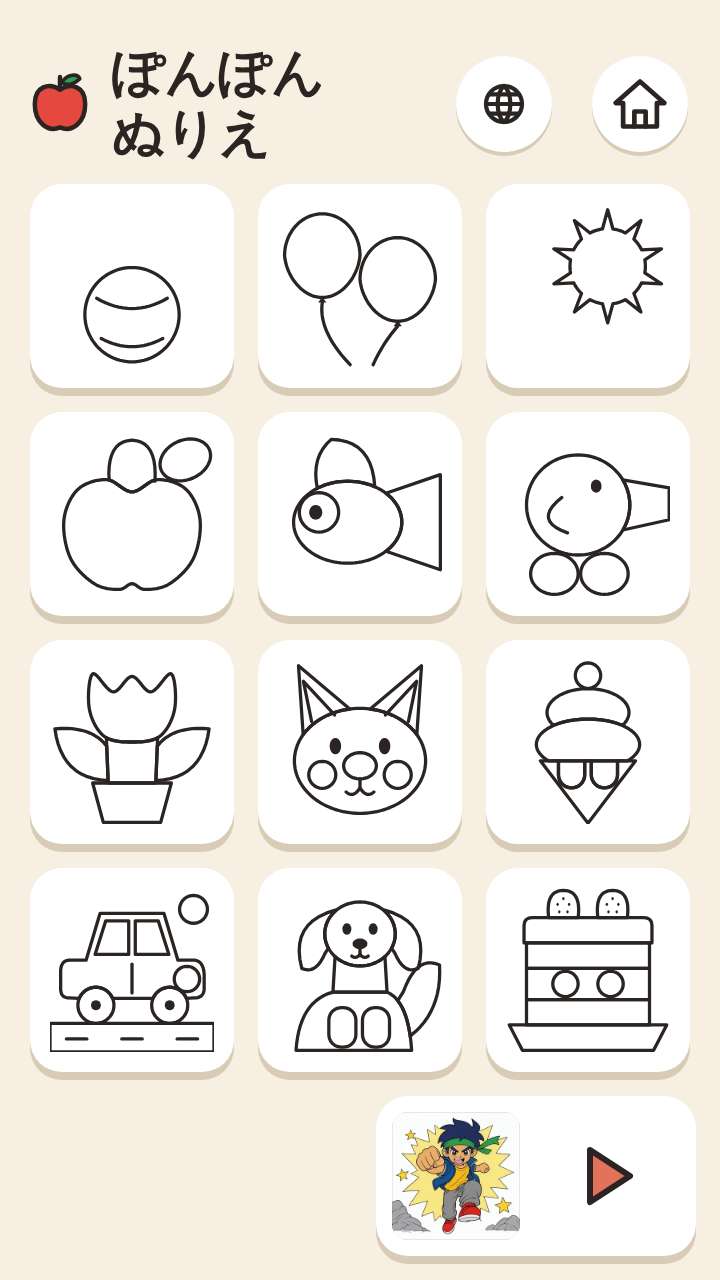
- Choose a pictureThe first screen shows picture cards (simple pictures with few spaces come first). Tapping one opens the screen for coloring that picture. Tapping ▶ shows the next page of pictures.
- Tap to colorChoose one of the color circles, then tap a space in the picture. With the rainbow circle, each tap colors with the next color, so children can play without choosing colors.
What is on the screen
The picture is shown large, with the color circles and "Undo" beside it. Almost no words appear, so it can be played with pictures and colors alone. There is no flashing and no screen shaking.
What fingers do
Tapping is all it takes. Sliding a finger over the picture colors the spaces it passes too. Tapping a space again with another color changes it, and "Undo" goes back one step. Grown-ups can press and hold "For grown-ups" to save a colored picture as an image or print it. There is no failing and no game over.
What is inside
- From simple pictures such as a ball, an apple or a cat to pictures with many spaces (arranged from the simplest)
- A shelf of illustration-style line drawings for older children (colored while looking at a sample of the colors)
- Saving a colored picture as an image or printing it (lines only too), from the "For grown-ups" screen
What this game does not have
- Ads and purchasesNothing to tap by mistake that takes you to another site.
- Input fieldsNo name or email address is asked for, and there is no account to create.
- Game overThere is no point where you get stuck and cannot go on. Children can stop whenever they have had enough.
Before you start
- Colored pictures stay on the deviceThe colors of each picture, the sound setting and a language you chose are kept only on this device, so coloring goes on where it left off even after closing. They cannot be carried over to another device. No names or play time are kept.
- Age 1 together with a grown-upWhile children are 1, please play together - a grown-up can tap with them or guide their finger.
- Plays without a connectionOnce it has loaded, it opens even in airplane mode. The pictures on the shelf for older children (about 4 MB) are downloaded in the background after that shelf is first opened, so every picture opens offline only after that. On a device with data saver turned on, only the pictures that are opened are downloaded.
- Languages14 languages (Japanese, English, Chinese, Traditional Chinese, Korean, Spanish, French, German, Portuguese, Indonesian, Italian, Turkish, Polish, Romanian). At first it opens in the language of the device.
Playing without a connection (on a plane, in the car)
Things to make together on the weekend
Other games for a similar age
Every game is on the Kids Games home page.