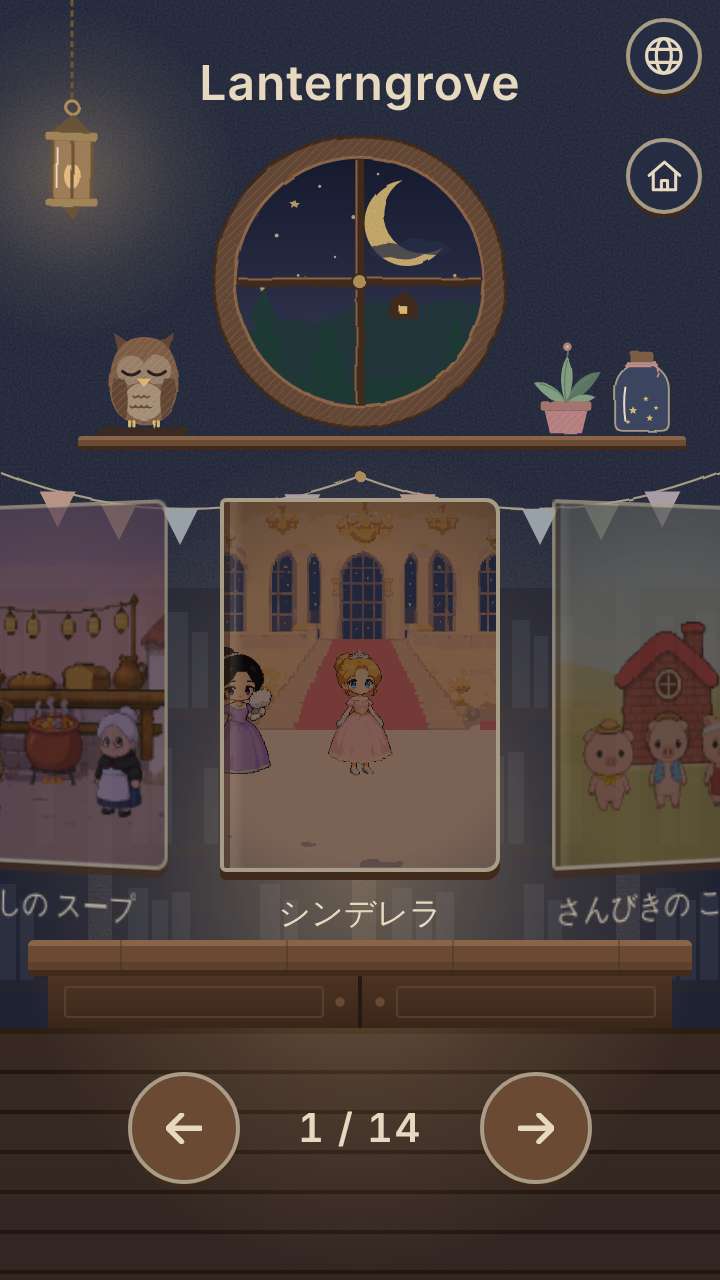
In a small library in the night forest you pick one book, and its pages turn by themselves with a reading voice and music-box music. The stories are world fairy tales such as Cinderella; on the home page it sits on the "Games for bedtime" shelf as "World Fairy Tales".
Getting started
- Open itJust open it in the browser. Nothing to install and no account to create.
- Choose a bookCovers line the bookshelf. Children who cannot read yet can choose by the pictures.
- Listen, and sleepThe story reads on by itself. At the end, choose "good night", which quietly stops the music, or go back to the bookshelf.
What is on the screen
A bookshelf in a library in the night forest, and a picture-book screen whose curtain opens like a puppet theater. The screen stays dim throughout, with no flashing effects.
What fingers do
Tap a book to start reading. Pause, paging back and forward, and returning to the bookshelf (long press) are chosen from the control strip that opens with the "…" at the top left. Touching the pictures or the text does not stop the story, so it reads on even if a sleepy child's hand touches the screen. After "good night" is chosen, the music fades after a while and stops, and the screen stays dark.
What is inside
- Picture books of world fairy tales (such as Cinderella), each with its own music-box tune
- Reading aloud uses the device's own speech feature (on a device without a voice for that language, the pages simply turn without being read aloud)
- A book that has no text in that language is read in English
Lanterngrove
- Cinderella
- The Three Little Pigs
- The Party in the Sky
- The Lion and the Mouse
- The Tiger and the Dried Persimmon
- Ratoncito Pérez
- The Enormous Turnip
- The Cowherd and the Weaver Girl
- Hats for the Stone Friends
- The Bremen Town Musicians
- The Ugly Duckling
- Why the Sun and the Moon Live in the Sky
- What Is an Elephant?
- Stone Soup
What this game does not have
- Ads and purchasesNothing to tap by mistake that takes you to another site.
- Input fieldsNo name or email address is asked for, and there is no account to create.
- Game overThere is no point where you get stuck and cannot go on. Children can stop whenever they have had enough.
Before you start
- Nothing is savedNo reading history and no stars. The only thing left on the device is a language you chose.
- Readable without a connectionOnce it has loaded, it opens even in airplane mode.
- Languages14 languages (Japanese, English, Chinese, Traditional Chinese, Korean, Spanish, French, German, Portuguese, Indonesian, Italian, Turkish, Polish, Romanian). At first it opens in the language of the device.
Playing without a connection (on a plane, in the car)
Picture books and music box songs for bedtime
Other games for a similar age
Every game is on the Kids Games home page.