A collection of 52 mini-games for little children, where every tap answers back with a sound and a picture. There are no rule explanations and no text, so even children who cannot read yet can choose and play on their own.
Getting started
- Open itJust open it in the browser. Nothing to install and no account to create.
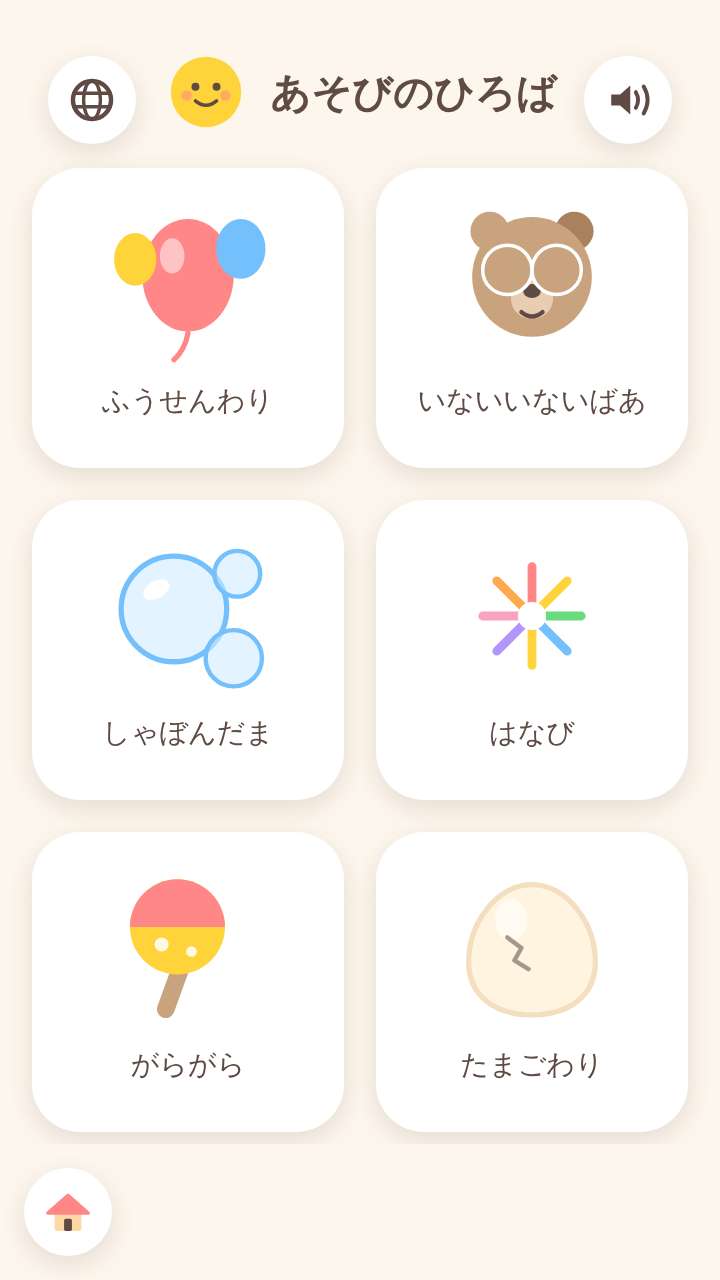
- Choose a mini-gameThe home screen lines up picture buttons, from the gentlest upward. Tap one and that mini-game starts.
- Go backThe mark at the top left returns to the home screen. There is no time limit and no game over, so children can stop whenever they have had enough.
What is on the screen
The home screen is a list of picture buttons, so children can choose without reading. The first ones simply answer a tap; further along come games with colors, shapes, numbers and memory.
What fingers do
Tapping, tracing, carrying and choosing are the 4 main actions. When a tap misses, simply nothing happens - no sound or mark points out the miss.
What is inside
- 52 mini-games (lined up from the gentlest)
- A page for each mini-game and pages by age (listed further down this page)
By age, and a page for each mini-game
Tap an age heading to see the games for that age together, or a name to see that mini-game's screen and how it is played.
Games for ages 0 and 1
- Pop balloons
- Peekaboo
- Bubbles
- Fireworks
- Rattle
- Crack the egg
- Inflate the ring
- Soft strokes
- Animal sounds
- Piano
- Drum
- Busy board
- Stamps
- Drawing
- Wipe and see
- Brushing teeth
- Washing hands
- Shine the light
- Sun stroll
- Gentle breeze
- Fingertip butterfly
- Vehicles
- Catch stars
- Open wide
Games for 2-year-olds
- Mirror drawing
- Picture book
- Ensemble
- Bouncy ball
- Touch colors
- Water the flowers
- Ball throwing
- Cutting board
- Water break
- Stack blocks
- Color blending
- Fit the shapes
- Catch the fruit
- Fishing
- Hide and seek
- Tidy up
Games for ages 3 and 4
- Which has more?
- Counting
- Puzzle
- Size order
- Find the match
- Shadow match
- Sound match
- Call and response
- Finish the pattern
- Trace it
- Marble and drums
- Make a tune
What this game does not have
- Ads and purchasesNothing to tap by mistake that takes you to another site.
- Input fieldsNo name or email address is asked for, and there is no account to create.
- Game overThere is no point where you get stuck and cannot go on. Children can stop whenever they have had enough.
Before you start
- Plays without a connectionOnce it has loaded, it opens even in airplane mode.
- Sound volumeSounds play with a volume cap, so nothing suddenly gets loud.
- Languages14 languages (Japanese, English, Chinese, Traditional Chinese, Korean, Spanish, French, German, Portuguese, Indonesian, Italian, Turkish, Polish, Romanian). At first it opens in the language of the device.
Playing without a connection (on a plane, in the car)
Games two people can play on one device
Other games for a similar age
Every game is on the Kids Games home page.